Make your own charts, maps, reports and stories. From data you can trust.
Six builders on one curated data library: indicators about your community, map layers like schools, parks and airports, and data you bring yourself. Every creation carries its source and reference period, and is ready to download, share or embed the moment you save it.
Pick the data. Shape it. Publish it.
Every builder starts the same way: choose from the data library for your location. It is already curated, sourced and current, so you can focus on the story, not the spreadsheet.
- 01Choose the data. One indicator for a chart or KPI, several for a report or story, a layer for a map. Everything comes with its source, reference period and lineage.
- 02Set data, design and annotation. Value or change over time, geography, colors, labels, title and notes. The preview updates as you go.
- 03Save to My Creations. Download it, share it as a published snapshot, or copy one line of embed code for your website.
Six builders
Each builder walks you through a few guided steps, showing the result as you go. Pick the data, make your choices, and it’s ready to save. No designer or analyst required.
Chart
Bar, line or pie from any indicator. Show the value or the change over time.
Map
Any indicator shaded across your geographies, or layers of places: schools, parks, airports and more.
Table
The underlying values, laid out cleanly for a page or a spreadsheet.
KPI
One number, its label and how it has moved. For the top of a page or a slide.
Report
Choose and order the indicators; get a finished document in your brand.
Story
A publishable narrative written from the indicators you select, in the voice and length you set.
Everything you make, in one place
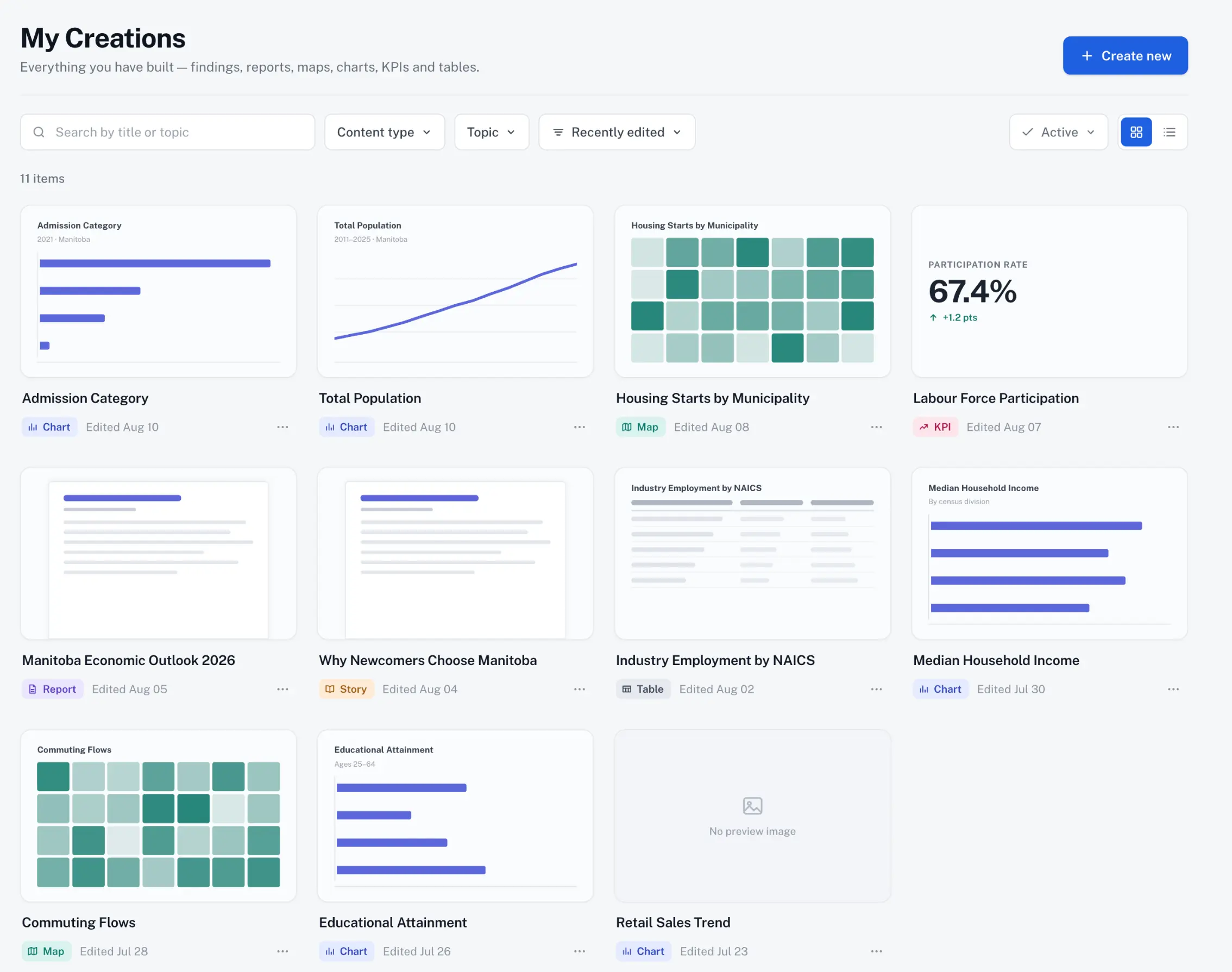
My Creations holds every chart, map, table, KPI, report and story your team has built. Search by title or topic, filter by type, and open anything to use it.
Download
PNG for slides, SVG for print, PDF for documents, CSV for the numbers underneath.
Share
Publish a snapshot with a link. What you share is fixed at that moment; later edits stay yours until you publish again.
Embed
One line of code puts a chart, map, table or KPI on your website. No plugins, no maintenance.
Manage
Duplicate to make a variant, rename, archive what’s finished. Every item shows its topic, geography, source, reference period and owner.
Two tiers. What’s in each.
An annual subscription, quoted per organization. Standard covers charts, maps, tables and KPIs; Premium adds reports and stories, live embeds, more locations and your own data.
Tier contents are indicative and confirmed on the demo. Studio is also part of Localintel One, alongside Reports and Dashboards. See Localintel One.
Contact us for pricingOne data library underneath
Every builder draws from the same managed data about your location: indicators curated from official sources, map layers of local places, and datasets your own team brings in. All of it kept current and carrying its lineage. A chart, a KPI and a report about the same thing will never disagree.
The source and reference period are part of the creation, not an afterthought. They travel with it into downloads, shares and embeds.
How we manage the dataThe Builders, Stories and Visualizations tools are now together as Studio. Everything you have made is in My Creations, and your embeds keep working unchanged.